










When presenting data in each area, it is necessary to consider comparing it with the size or scale of the base map intended for display or use. For example, when using a base map or map intended for printing with a scale of 1:1,000, determining the feature type is crucial. Here are considerations for feature types when entering data:
1. Telephone Booths: we should set the feature type as Point because the actual size of telephone booths is approximately 1.5 meters in both width and length. If we set the feature type as Polygon, it would require drawing the telephone booth on the map with a width and length of 1.5 millimeters (1 millimeter on the map = 1 meter in reality), making it impractical to draw near the actual location.
2. Buildings: we should set the feature type as Polygon because most buildings have dimensions, typically ranging from 4 to 6 meters in width. Drawing the building on the map with a width of 4 millimeters is practical and approximates the actual size, so it is not advisable to set the feature type as Point.
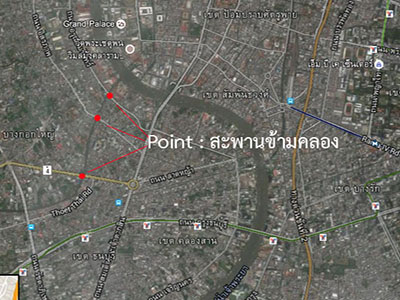
3. Bridge over the canal: we should set the feature type as Line because the Bridge over the canal has a substantial length and width. The total length of a bridge is often more than 5 meters, allowing it to be drawn on the map with a width of 5 millimeters. While the smallest width of a canal cross bridge is maybe 1 to 2 meters, drawing it on the map with a width of 2 millimeters is challenging. Therefore, it is not recommended to set the feature type as Polygon. Usually, the bridges over the canal are represented by their length and the direction they span the canal, making it appropriate to set the feature type as a Line.
However, if the base map or map intended for printing has a scale of 1:10,000, specifying the feature type for the Bridge over the canal as a Point is advisable. In a 1:10,000 scale map, representing a 5-meter bridge length would only be 0.5 millimeters on the map.